

Vendor Management Workflow: The Ultimate Swimlane SOP Guide

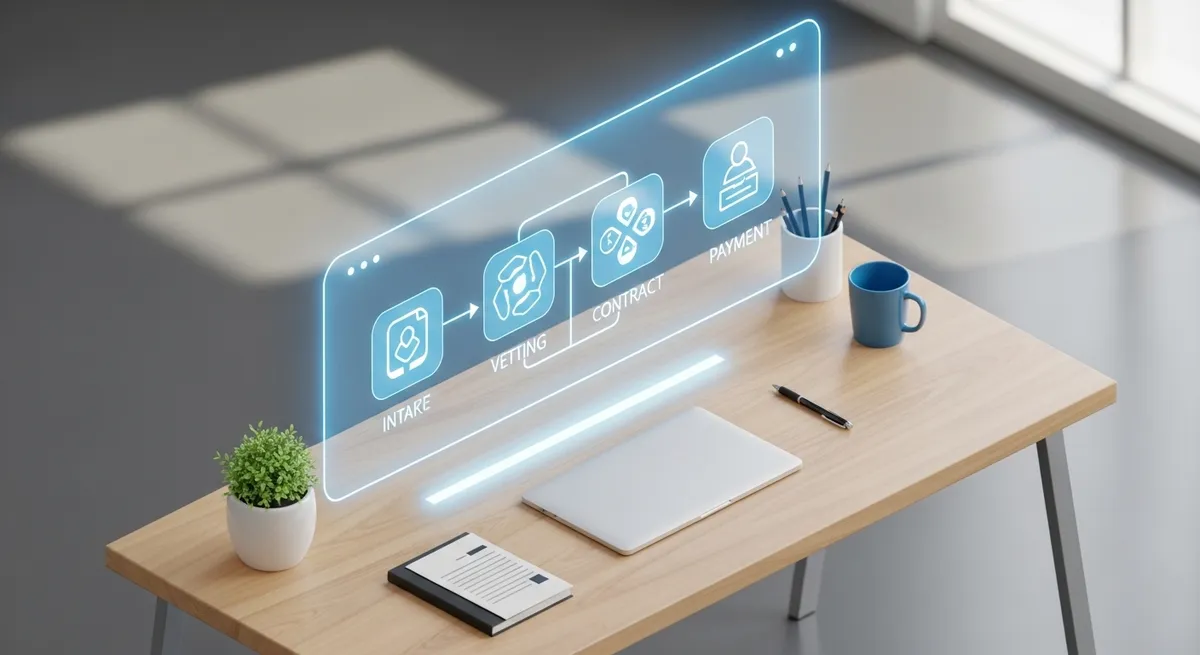
Table of Contents
Vendor Management Workflow: A Swimlane SOP from Intake to Offboarding
For many Operations and Finance managers, “vendor management” is often reduced to a static spreadsheet tucked away in a shared drive. However, a list of names and contact details is not a management strategy. It leaves your organization exposed to compliance risks, uncontrolled spending, and missed renewal dates.
To truly control external spend and relationships, you need a vendor management workflow. It’s a dynamic, end-to-end process that governs every interaction from the moment a new supplier is requested to the day they are offboarded.
This guide outlines a comprehensive swimlane Standard Operating Procedure (SOP). It breaks down the lifecycle into six distinct stages, defines accountability (RACI), and establishes the “Go/No-Go” criteria necessary to protect your business.
What a “Vendor Management Workflow” Actually Covers
A common misconception is that a workflow is just a fancy word for an onboarding checklist. While onboarding is critical, a robust workflow covers much more. It acts as an operational control system that bridges the gap between Procurement and Sourcing.
A true workflow ensures:
-
Standardization: Every vendor enters the organization through the same door.
-
Visibility: Stakeholders know exactly where a contract sits in the approval chain.
-
Compliance: No vendor is paid until they meet specific legal and security requirements.
-
Performance: Value is tracked continuously, not just at contract signing.
If your current process relies on email threads and disparate PDFs, you are likely suffering from “process leakage,” where risks and unnecessary costs slip through the cracks.
The End-to-End Swimlane Workflow
The following six stages represent the “swimlanes” of a healthy vendor lifecycle. This linear progression ensures that no steps are skipped.
Stage 1: Vendor Intake and Request Triage
The chaos often begins at the start. Without a formal intake process, employees may engage vendors without approval, leading to “Shadow IT” or maverick spend.
-
The Trigger: An internal stakeholder identifies a need (e.g., “We need new marketing software”).
-
The Action: They submit a standardized intake form.
-
The Triage: The procurement or finance lead reviews the request against the budget and existing vendor list to prevent duplication.
Key Data to Collect:
-
Business justification.
-
Estimated annual spend.
-
Cost center code.
-
Desired go-live date.
Read more on structuring this phase in our Vendor Intake Process Guide.
Stage 2: Due Diligence and Risk Tiering
Before talking price, you must validate legitimacy. This stage protects the company from legal and financial liability.
-
Financial Health: Checking credit scores to ensure the vendor won’t go bankrupt mid-contract.
-
Compliance: Verifying GDPR/Data Processing Agreements if they handle customer data.
-
Security: Reviewing SOC2 or ISO certifications for software vendors.
This is where you apply Risk Tiering. Not all vendors need the same level of scrutiny. A catering vendor requires less due diligence than a core banking software provider.
Stage 3: Onboarding and System Setup
Once a vendor passes the risk assessment, they move to onboarding. This is often the administrative bottleneck where documents get lost.
The Workflow Actions:
-
Data Collection: Gathering tax forms (W-9/W-8), banking details, and insurance certificates.
-
ERP Setup: Creating the vendor profile in your accounting system.
-
Contract Signing: Finalizing the MSA (Master Services Agreement) and SOW (Statement of Work).
Tip: Using a dedicated tool like Vendorfi can automate the collection of these documents, significantly speeding up the Vendor Onboarding Checklist.
Stage 4: Ongoing Performance and Issue Management
The contract is signed, but the work has just begun. This stage runs for the duration of the relationship.
-
Performance Monitoring: Tracking delivery against SLAs (Service Level Agreements).
-
Issue Resolution: Logging incidents (e.g., late delivery, service downtime) to build a case for renewal or termination.
-
Quarterly Business Reviews (QBRs): Strategic meetings to discuss roadmap and performance.
Learn how to evaluate suppliers effectively in our guide to Measuring Vendor Performance KPIs.
Stage 5: Renewal and Renegotiation Gates
Auto-renewals are the silent killer of budgets. A proper workflow sets a “gate” 60 to 90 days before a contract ends.
Decision Options:
-
Renew: Performance is good, and pricing remains competitive.
-
Renegotiate: Service is needed, but terms or pricing need adjustment.
-
Retire: The service is no longer required or the vendor has underperformed.
Proactive management here prevents unwanted lock-ins. See our Renewal Management Strategies for more tactics.
Stage 6: Offboarding and Evidence Retention
When a relationship ends, you must close the loop securely to avoid “zombie contracts” or data leaks.
-
Financial: Process final invoices and close the PO.
-
Security: Revoke system access and confirm data deletion.
-
Legal: Archive contracts and evidence of termination for audit purposes.
RACI: Who Owns Each Step?
To make the swimlane work, you need to define accountability. A RACI matrix (Responsible, Accountable, Consulted, Informed) clarifies roles between Operations, Finance, and other departments.
| Workflow Stage | Procurement / Ops | Finance / AP | Legal / Compliance | IT / Security |
| 1. Intake | Accountable (Triage) | Informed (Budget check) | - | Consulted (If Tech) |
| 2. Due Diligence | Responsible | Consulted (Credit check) | Consulted | Accountable (Security Review) |
| 3. Onboarding | Responsible | Accountable (ERP Setup) | Consulted | Informed |
| 4. Performance | Accountable | Informed | - | Responsible (Uptime checks) |
| 5. Renewal | Accountable | Consulted | Consulted | Consulted |
| 6. Offboarding | Responsible | Accountable (Final Pay) | Informed | Responsible (Access removal) |
Stage Gates: Required Artifacts and “Go/No-Go” Criteria
To prevent a vendor from progressing to the next stage prematurely, you must establish strict “Stage Gates.” These are hard stops in the workflow.
| Stage Gate | Required Artifacts | ”Go” Criteria |
| Gate 1: Triage to Diligence | Completed Intake Form, Budget Approval | Budget is available; Request is not a duplicate. |
| Gate 2: Diligence to Onboarding | Risk Assessment Report, NDA | Vendor passes security check; No legal red flags. |
| Gate 3: Onboarding to Active | Signed Contract, Tax Forms, Bank Details | All data validated; Vendor profile active in ERP. |
| Gate 4: Active to Renewal | Performance Scorecard, Usage Report | Vendor Performance Scorecard shows passing grade; Stakeholder approves. |
Workflow SLAs: Cycle Time Targets and Bottleneck Diagnostics
How long should this take? Without targets, onboarding can drag on for months. Establishing Service Level Agreements (SLAs) for your internal workflow helps identify bottlenecks.
-
Intake to Approval: Target < 48 Hours.
-
Due Diligence: Target < 5 Business Days (for low/medium risk).
-
Contract Negotiation: Variable (Track “Time in Legal”).
-
Onboarding Setup: Target < 72 Hours (after contract sign-off).
If your “Onboarding Setup” consistently exceeds the target, it usually indicates a manual data entry problem in Finance, a prime candidate for automation.
Metrics to Run the Workflow (Program KPIs)
To monitor the health of your vendor management system, track these key metrics:
-
Cycle Time: Average days from Intake to Active status.
-
Vendor Concentration: % of spend with top 10 vendors (Risk indicator).
-
Compliance Rate: % of active vendors with valid insurance/tax documents on file.
-
Renewal Capture Rate: % of renewals renegotiated or cancelled vs. auto-renewed.
From Manual Templates to Automation
You might attempt to build this workflow using email, spreadsheets, and PDF templates. However, manual workflows are prone to human error. Emails get buried, contracts expire unnoticed, and compliance documents are saved in personal folders.
This is where Vendorfi transforms the process.
Instead of chasing signatures and manually entering data into your ERP, Vendorfi centralizes the entire lifecycle. It provides a digital home for intake, automates the collection of onboarding documents, and triggers alerts for renewals. By moving from static templates to a dynamic Vendor Management System, you gain visibility, reduce risk, and free up your team to focus on strategy rather than paperwork.
Frequently Asked Questions (FAQ)
What is the difference between vendor management and procurement?
Procurement focuses on the transactional act of buying goods and services. Vendor management is the broader discipline of managing the relationship, risks, and performance of suppliers throughout their lifecycle.
How often should we review vendor performance?
For critical vendors, a Quarterly Business Review (QBR) is recommended. For lower-tier vendors, an annual performance review prior to renewal is usually sufficient.
Who should own the vendor management workflow?
Typically, this sits with Operations or Procurement. However, in SMEs without a dedicated procurement team, Finance often owns the workflow to control spend and risk.
Why do I need a swimlane diagram for vendors?
A swimlane clearly defines who is responsible for what. It prevents the common “I thought you were handling that” errors that lead to compliance breaches or missed payments.
About Vendorfi Team
The collective voice of our product, engineering, and operations teams, sharing insights to help you build better vendor relationships.
Manage your entire vendor lifecycle, from procure to pay - for free.
See how Vendorfi's automated platform can help you manage risk and reduce spend across your entire vendor portfolio.